
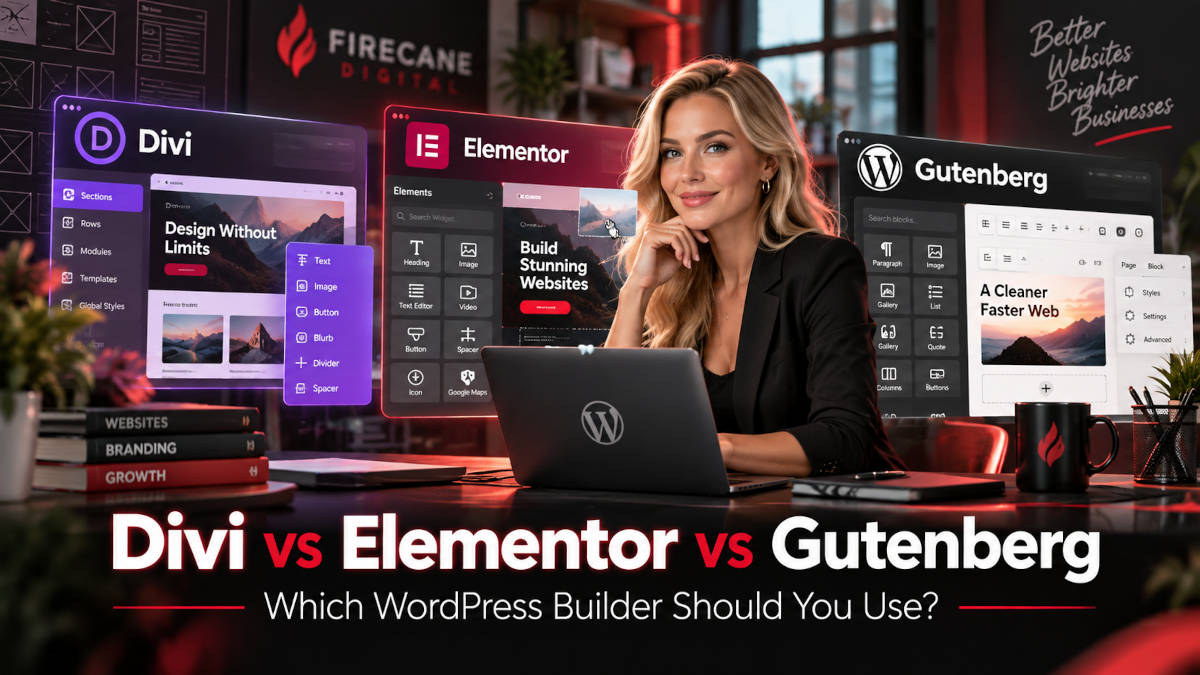
Which WordPress Page Builder Should You Use?
Choosing how to build a WordPress website has become more complicated than simply choosing a theme.
Today, three of the most common approaches are Divi, Elementor, and the native WordPress block editor commonly associated with Gutenberg.
All three can be used to create professional WordPress websites, but they approach website design very differently.
Divi and Elementor provide visual page-building systems designed to give website owners and developers extensive control over layouts without requiring everything to be coded manually. Gutenberg takes a different approach by building page and site editing directly into WordPress through blocks, patterns, templates, and block themes.
So which one should you use?
The answer depends on what you are building, who will maintain the website, how much design flexibility you need, how important performance is to the project, and whether custom development will be required later.
At Firecane Digital, we work with existing WordPress websites built using all three systems. We also build new websites and help businesses determine whether an existing WordPress installation should be improved, redesigned, or rebuilt.
In this guide, we’ll compare Divi vs Elementor vs Gutenberg and look at the advantages, disadvantages, performance considerations, maintenance requirements, and development flexibility of each option.
What Are Divi, Elementor, and Gutenberg?
Before comparing them, it helps to understand that these are not exactly the same type of product.
Divi
Divi is a WordPress theme and visual website builder developed by Elegant Themes.
It provides a front-end visual editing environment where developers and website owners can create pages using sections, rows, columns, modules, reusable design elements, and templates.
Divi also includes a Theme Builder that can be used to design global headers, footers, blog templates, archive pages, WooCommerce layouts, and other areas of a WordPress website.
Divi 5 officially left beta in February 2026 and has continued receiving significant updates throughout the year. The current generation includes a redesigned visual builder, site-wide editing features, reusable variables and presets, and newer AI-assisted development tools. Elegant Themes
You can learn more through the official Divi documentation.
Elementor
Elementor is a visual WordPress page builder that operates primarily as a plugin.
It provides drag-and-drop editing, responsive design controls, templates, widgets, and extensive styling options.
Elementor’s Theme Builder can also be used to create global site elements including headers, footers, posts, archives, and WooCommerce templates. Elementor
You can learn more at the official Elementor website.
Gutenberg
Gutenberg is the block-based editing system built into modern WordPress.
Instead of treating a page as one large content editor, WordPress divides content into blocks.
Common blocks include:
- Paragraphs
- Headings
- Images
- Galleries
- Buttons
- Columns
- Groups
- Cover sections
- Videos
- Lists
- Tables
- Navigation
- Query loops
WordPress also supports patterns, which are reusable collections of blocks.
When combined with a compatible block theme, the WordPress Site Editor can be used to design headers, footers, templates, pages, and other global portions of a website directly with blocks. WordPress.org
You can learn more through the official WordPress Site Editor documentation.
Divi vs Elementor vs Gutenberg: Quick Comparison
Here is a simplified comparison.
| Feature | Divi | Elementor | Gutenberg |
|---|---|---|---|
| Visual drag-and-drop editing | Excellent | Excellent | Good and improving |
| Included with WordPress | No | No | Yes |
| Full site editing | Yes | Yes | Yes with compatible block theme |
| Beginner friendliness | Good | Good | Good for basic content |
| Advanced visual design | Excellent | Excellent | Moderate to good |
| Custom CSS support | Yes | Yes | Yes |
| Templates and reusable layouts | Extensive | Extensive | Patterns and templates |
| Third-party ecosystem | Large | Very large | Very large WordPress ecosystem |
| Developer flexibility | Good | Good | Excellent |
| Potentially lightweight builds | Possible | Possible | Often easier |
| Dependence on builder | Higher | Higher | Lower |
| Good for marketing sites | Excellent | Excellent | Good |
| Good for content-heavy sites | Good | Good | Excellent |
That table is only a starting point.
The right choice depends heavily on how the website will actually be used.
The Biggest Difference: Page Builder vs Native WordPress
The most important difference between Divi, Elementor, and Gutenberg is architectural.
Divi and Elementor place an additional visual design system on top of WordPress.
Gutenberg is part of WordPress itself.
That distinction affects everything from website design and performance to long-term maintenance.
A visual page builder gives designers a tremendous amount of control without requiring custom code for every layout.
The tradeoff is additional complexity.
Gutenberg generally stays closer to WordPress’s native architecture.
This can make it attractive for websites where speed, portability, maintainability, and custom development are higher priorities than extremely detailed visual editing.
Neither approach is automatically better.
The question is which approach makes sense for the project.
Designing Websites With Divi
We’ve worked extensively with Divi over the years, and it remains a very capable platform for building business websites.
The biggest advantage is design flexibility.
Divi allows you to visually create sophisticated layouts without manually writing HTML and CSS for every component.
The Visual Builder lets you work directly on the front end of the website and see changes as they are made. Divi’s current builder supports responsive controls, reusable presets and variables, Theme Builder templates, and site-wide design management. Elegant Themes Help Center
Advantages of Divi
Some of Divi’s strengths include:
- Strong visual design controls
- Large selection of modules
- Global styles
- Responsive editing
- Reusable layouts
- Theme Builder
- Header and footer design
- Blog post templates
- WooCommerce design controls
- Custom CSS support
- Large layout library
- Strong developer community
One reason businesses like Divi is that a developer can build a sophisticated website while still allowing the client to edit relatively simple text and image content later.
Divi Theme Builder
The Theme Builder is especially useful.
Instead of designing every blog post separately, you can create one template that controls how every blog post appears.
The same approach can be used for:
- Headers
- Footers
- Blog posts
- Categories
- Search pages
- WooCommerce products
- Custom post types
- 404 pages
This gives developers centralized control over the design of the website. Elegant Themes Help Center
Where Divi Can Become Complicated
The flexibility of Divi can also become its weakness.
It is possible to create extremely complicated pages containing:
- Many nested sections
- Excessive modules
- Device-specific duplicate content
- Large animations
- Numerous custom CSS rules
- Third-party Divi extensions
- Complicated global templates
At some point, a page builder can become more complicated than the design actually requires.
The problem is usually not Divi itself.
The problem is how the website was built.
A carefully designed Divi website can be quite manageable. A website built by repeatedly stacking modules, plugins, scripts, and design effects can become difficult to maintain.
Divi 5 Changes the Conversation
One important consideration when comparing Divi today is that Divi 5 is significantly different from the older Divi 4 environment many WordPress developers remember.
Divi 5 officially exited beta in February 2026, and Elegant Themes has continued releasing frequent updates. Recent versions have added complete-site editing capabilities, additional modules, newer design systems, and AI agents inside the builder. Elegant Themes
For businesses evaluating Divi today, it therefore makes more sense to evaluate modern Divi 5 rather than basing the decision entirely on experiences with older Divi installations.
That said, an existing Divi 4 website should be tested carefully before a major migration, particularly if it uses third-party modules or custom code.
Designing Websites With Elementor
Elementor takes a similar visual-builder approach but has its own interface and ecosystem.
The editor allows developers to drag widgets onto the page and control content, typography, spacing, backgrounds, positioning, and responsive behavior.
Elementor also uses containers for modern layout construction and provides detailed responsive controls for different screen sizes. Elementor
Advantages of Elementor
Elementor’s strengths include:
- Intuitive visual editor
- Large widget library
- Extensive template library
- Responsive controls
- Theme Builder
- Popup functionality
- WooCommerce integration
- Large third-party plugin ecosystem
- Custom CSS options
- Dynamic content support
- Numerous add-on packages
Because Elementor is widely used, it is also relatively easy to find designers and developers familiar with the platform.
Elementor Free vs Elementor Pro
Elementor has both free and paid functionality.
The free version is capable of creating substantial page layouts.
Elementor Pro adds more advanced features and widgets, particularly for building complete websites rather than individual pages.
Features available through the broader Elementor ecosystem include tools for creating headers, footers, archives, post templates, and other global portions of the website.
Elementor’s Theme Builder specifically allows templates to be assigned to different portions of a website through display conditions. Elementor
For a professional business website, you should evaluate the complete feature set you need rather than assuming the free edition will provide everything required.
Where Elementor Can Become Complicated
Elementor can encounter many of the same problems as Divi.
Because the builder provides enormous flexibility, it is easy to overbuild pages.
A website can accumulate:
- Large numbers of widgets
- Nested containers
- Add-on plugins
- Animation libraries
- Third-party widget packages
- Custom CSS
- Custom JavaScript
- Popup systems
- Dynamic content plugins
The result can be a website where changing one component requires understanding several different plugins.
Elementor also has an enormous third-party ecosystem.
That is both an advantage and a potential problem.
A specialized widget may solve a problem in five minutes, but every additional plugin becomes another piece of software that needs to be maintained, updated, secured, and tested.
Building Websites With Gutenberg
Gutenberg has evolved considerably from the simple block editor introduced in earlier versions of WordPress.
Modern WordPress provides blocks, patterns, synced patterns, templates, global styles, and full-site editing capabilities through compatible block themes.
WordPress’s Site Editor can control the header, footer, templates, template parts, styles, and other portions of a block-based website. WordPress.org
This makes Gutenberg increasingly capable of handling complete website builds rather than simply blog content.
Advantages of Gutenberg
The biggest advantages include:
- Built directly into WordPress
- Less dependence on an outside page-builder platform
- Excellent integration with WordPress core
- Strong support for custom development
- Block patterns
- Synced patterns
- Global styles
- Full-site editing with block themes
- Potentially simpler HTML output
- Good content portability
- Excellent choice for content-heavy websites
For developers, Gutenberg also offers an increasingly powerful foundation for custom WordPress development.
Custom blocks can be created specifically for a business rather than installing a large multipurpose page builder.
Gutenberg Patterns Are Extremely Useful
Patterns are one of the more important Gutenberg features.
A pattern is a predefined collection of blocks.
For example, a website could have patterns for:
- Calls to action
- Testimonials
- Service sections
- Contact sections
- Staff profiles
- Pricing tables
- Hero sections
- Frequently asked questions
A developer can build the layout once and allow content editors to reuse it.
WordPress also supports synced patterns.
When a synced pattern is updated, the change can be reflected everywhere that pattern is used. WordPress.org
That makes Gutenberg increasingly competitive with the global element systems offered by commercial page builders.
Gutenberg Can Require More Development Knowledge
The biggest downside of Gutenberg becomes apparent when you want a very customized design.
A designer comfortable with Divi or Elementor may be able to visually build an unusual layout quickly.
Accomplishing the same thing with Gutenberg may require:
- Custom CSS
- Custom theme development
- Custom blocks
- PHP
- JavaScript
- React
- Block configuration
- Theme JSON configuration
That is not necessarily a disadvantage for a development company.
In fact, it can be an advantage because the finished website can be more purpose-built.
But for a business owner who wants to visually move everything around the page without involving a developer, Divi or Elementor may feel more flexible.
Divi vs Elementor: Which Visual Builder Is Better?
Divi and Elementor compete more directly with one another than either does with Gutenberg.
Both provide visual editing.
Both provide responsive controls.
Both support reusable design systems.
Both can control templates beyond individual pages.
Both have large communities and third-party ecosystems.
The differences often come down to workflow and developer preference.
Divi’s Workflow
Divi’s interface is heavily focused on editing the website visually.
Sections contain rows, rows contain columns, and columns contain modules.
For someone who has built numerous Divi websites, this structure becomes extremely familiar.
Divi also provides extensive styling options directly within each module.
Elementor’s Workflow
Elementor traditionally places more of its controls in a panel beside the page preview.
Its widgets generally contain Content, Style, and Advanced settings, while containers control larger layout structures. Elementor
Many designers find this interface extremely intuitive.
Someone experienced with Elementor may be considerably faster in Elementor than Divi, while an experienced Divi developer may have exactly the opposite experience.
That matters.
The theoretically “best” page builder is not necessarily the best tool if your development team can complete the project twice as efficiently in another platform.
Which Is Better for Website Performance?
This question generates a lot of arguments in the WordPress community.
The reality is more nuanced.
Gutenberg generally provides an advantage when developers want to build a relatively lightweight website because it is part of WordPress core and does not require a full third-party visual builder.
However, that does not automatically make every Gutenberg website fast.
A Gutenberg website can still be slow because of:
- Poor hosting
- Huge images
- Too many plugins
- External scripts
- Advertising
- Tracking software
- Bad database queries
- Poorly written custom blocks
- Excessive fonts
- Third-party APIs
Likewise, Divi or Elementor does not automatically make a website slow.
A carefully optimized visual-builder website can perform well.
The largest performance problems we encounter are often the result of the complete technology stack rather than one specific page builder.
Page Builders and Core Web Vitals
When evaluating a WordPress website, we look beyond the builder itself.
Important performance considerations include:
- Largest Contentful Paint
- Interaction to Next Paint
- Cumulative Layout Shift
- Server response time
- Image optimization
- Caching
- JavaScript execution
- CSS size
- Font loading
- Third-party scripts
The page builder influences some of these areas, but so do hosting, theme configuration, plugins, content, images, and custom code.
Switching from Elementor to Gutenberg will not magically fix a website with a 9 MB homepage and twenty external marketing scripts.
Performance optimization needs to consider the entire website.
Which Is Better for SEO?
Google does not give a ranking bonus simply because a website uses Gutenberg, Divi, or Elementor.
Search engines care about the resulting website.
Relevant factors include:
- Useful content
- Crawlability
- Page performance
- Mobile usability
- Internal linking
- Structured content
- Proper headings
- Metadata
- Indexability
- Website architecture
All three systems can be used to build SEO-friendly websites.
They can also all be configured badly.
For example, a developer can create poor heading hierarchy using any of the three systems.
A WordPress website should therefore be optimized as a complete website rather than choosing a page builder solely because someone claims it is “better for SEO.”
Which Is Better for Austin Business Websites?
For an Austin business website, the decision usually depends more on business requirements than geography.
A local service company may primarily need:
- Service pages
- Contact forms
- Landing pages
- Local content
- Testimonials
- Calls to action
- Blog content
- Fast mobile performance
Any of the three platforms can handle those requirements.
For businesses that want a highly customized visual marketing website, Divi or Elementor may make sense.
For companies prioritizing content, speed, custom development, and long-term technical flexibility, Gutenberg may be worth serious consideration.
Firecane Digital provides Austin web design services for businesses that need new websites as well as companies trying to improve an older WordPress installation.
The platform should be selected around the project’s requirements rather than forcing every project into the same development stack.
Which Is Easiest for Clients to Edit?
This depends on the type of editing your client needs to perform.
Divi
Divi can be extremely convenient for clients who want to visually edit text, images, buttons, and layouts.
The downside is that clients can also accidentally change spacing, modules, or layouts if they are given unrestricted access.
Elementor
Elementor offers a similarly visual experience.
Clients can click into elements and update content while seeing the resulting page.
Again, the flexibility can occasionally be dangerous in inexperienced hands.
Gutenberg
Gutenberg can be easier for clients who primarily edit content rather than design.
A carefully constructed Gutenberg website can allow the developer to control the design while clients update text, images, posts, and predefined patterns.
For many business websites, that distinction is important.
Clients usually need to edit content.
They do not necessarily need the ability to redesign their entire website.
Which Is Better for Blogging?
For straightforward blog content, Gutenberg is difficult to beat.
It is built directly into WordPress and makes it easy to add:
- Headings
- Paragraphs
- Lists
- Quotes
- Images
- Videos
- Tables
- Buttons
Using the native WordPress editor for articles can also help keep blog content relatively portable.
Even on websites built with Divi or Elementor, it can make sense to create the overall blog template with the page builder while entering the actual article content using WordPress’s standard editor.
This makes the articles easier to manage and reduces unnecessary builder complexity.
Which Is Better for Landing Pages?
Divi and Elementor are both particularly strong for landing pages.
Marketing landing pages often require:
- Unusual layouts
- Large hero sections
- Multiple calls to action
- Testimonials
- Pricing sections
- Forms
- Animations
- Responsive design adjustments
A visual builder can make these pages considerably faster to create.
Gutenberg can absolutely build landing pages as well, especially with a strong block theme and custom patterns.
But highly customized layouts may require more development work.
For our Austin web design projects, the decision often comes down to whether visual design flexibility or a more custom, development-focused architecture is the higher priority.
Which Is Better for Custom WordPress Development?
Gutenberg has a major advantage when the project involves substantial custom development.
Developers can create custom blocks designed specifically around the business.
For example, a real estate website might have a property block that automatically retrieves:
- Price
- Address
- Photos
- Square footage
- Availability
- Agent information
Instead of giving editors a generic page builder and asking them to manually assemble the layout, developers can create a block designed around the actual data.
This is where WordPress becomes more than a page-building tool.
It becomes a custom content management system.
Firecane provides WordPress development for businesses that need functionality beyond standard themes and page builders, including custom development, API integrations, troubleshooting, and existing WordPress modernization.
Can You Use Gutenberg With Divi or Elementor?
Yes.
This is an important point that sometimes gets lost in builder comparisons.
Choosing Divi or Elementor does not mean you must completely stop using the standard WordPress editor.
Many websites use both.
For example:
- Divi could control the header and footer.
- Divi could build the homepage and major service pages.
- Gutenberg could handle ordinary blog content.
The same is possible with Elementor.
This hybrid approach can work very well.
It keeps complex visual layouts in the visual builder while keeping straightforward content relatively simple.
Should You Mix Divi and Elementor?
Technically, it is possible to have Divi and Elementor installed on the same WordPress website.
We generally would not choose to build a new website this way unless there were a specific reason.
Running multiple major page builders can create unnecessary complexity.
You now have:
- Two design systems
- Two sets of CSS
- Two user interfaces
- Two template systems
- Two plugin dependencies
- More potential compatibility issues
Sometimes we inherit websites where one portion was built in Elementor, another in Divi, and older pages use the Classic Editor or Gutenberg.
It can work.
But that doesn’t mean it is an ideal architecture.
For a new project, we prefer establishing a consistent development approach.
What Happens If You Stop Using Divi or Elementor?
This is another important consideration.
A website becomes somewhat dependent on the page builder used to create it.
If a large website is built entirely in Elementor, removing Elementor is not as simple as uninstalling a normal utility plugin.
The layouts depend on it.
The same principle applies to Divi.
Migrating away from a page builder usually means rebuilding or converting portions of the website.
Gutenberg has an advantage here because it is part of WordPress itself.
That does not mean Gutenberg will never change, but using WordPress-native blocks generally reduces dependence on a separate commercial builder.
This may matter for businesses planning to operate the same website for many years.
When We Would Choose Divi
Divi can be a strong choice when:
- The website requires substantial visual design flexibility.
- A business wants a visual editing interface.
- Landing pages are important.
- The site needs reusable design templates.
- The development team already has significant Divi experience.
- Clients want to visually edit pages.
- The project can benefit from Divi’s Theme Builder.
Modern Divi 5 is also considerably different from older Divi installations and deserves fresh consideration for new projects. Elegant Themes
When We Would Choose Elementor
Elementor can be a strong choice when:
- The development team already works efficiently in Elementor.
- The client prefers Elementor’s editing interface.
- The website requires sophisticated landing pages.
- The project depends on Elementor-specific integrations.
- Theme Builder functionality is important.
- The website requires extensive responsive visual control.
It is also a reasonable option when taking over an existing Elementor website that is already well built.
There is rarely a good reason to rebuild a healthy website merely because another builder is currently fashionable.
When We Would Choose Gutenberg
Gutenberg may be the best approach when:
- Website performance is a major priority.
- The project is content-heavy.
- The website needs extensive custom development.
- Long-term portability matters.
- The site will use custom blocks.
- Editors need structured content rather than unrestricted design controls.
- The business wants to reduce reliance on commercial page builders.
- A block theme fits the project’s design requirements.
For custom WordPress projects, Gutenberg provides an increasingly powerful development foundation.
What About Existing Websites?
If your existing WordPress website already uses one of these builders and works well, there may be no reason to change it.
Migrating page builders can be expensive.
You should have a specific business or technical reason for doing it.
Good reasons might include:
- Serious performance problems
- Unsupported software
- Extensive technical debt
- Difficult maintenance
- Major redesign
- Incompatible plugins
- Security concerns
- New functionality that the existing architecture cannot support
“I heard Gutenberg is faster” is not necessarily enough justification to rebuild a 100-page Elementor website.
First determine what is actually causing the performance problem.
Likewise, an older Gutenberg website does not automatically need to be converted to Divi just because the marketing department wants more visual flexibility.
Sometimes a few custom blocks or patterns solve the problem more efficiently.
Divi vs Elementor vs Gutenberg for Developers
Developers tend to evaluate these tools differently from website owners.
A designer may ask:
“How quickly can I build this page?”
A developer may ask:
“How easily can I support this website five years from now?”
Both questions matter.
A good development platform should balance:
- Development speed
- Design flexibility
- Performance
- Code maintainability
- Security
- Client usability
- Upgrade paths
- Integration capabilities
- Long-term support
The cheapest or fastest option during the initial build is not always the least expensive option over the entire lifespan of the website.
WordPress Is Still WordPress Underneath
Regardless of which builder you use, the underlying website still depends on WordPress.
That means you still need to maintain:
- WordPress core
- Themes
- Plugins
- PHP
- Database
- Hosting
- SSL
- Backups
- Security
- DNS
- Forms
- APIs
- Third-party integrations
A page builder does not eliminate the need for WordPress development and maintenance.
It changes how the front end is constructed.
For more complicated projects, the most important technical work often happens behind the page builder.
Firecane’s WordPress development services can include custom programming, plugin troubleshooting, API integrations, legacy WordPress support, hosting migrations, performance improvements, and other work that goes beyond simply designing pages.

So Which One Should You Choose?
There is no universal winner.
Choose Divi if:
You want extensive visual design flexibility, reusable layouts, strong Theme Builder functionality, and a visual editing system that can handle most of the website.
Choose Elementor if:
You prefer Elementor’s interface and ecosystem and want a powerful visual page builder with a large selection of widgets, integrations, templates, and responsive controls.
Choose Gutenberg if:
You want to stay closer to WordPress core, prioritize structured content and custom development, reduce dependence on a third-party builder, or build around WordPress’s block architecture.
For many projects, we would also consider a hybrid approach.
Use a visual builder where visual flexibility provides real value, and keep ordinary content in native WordPress whenever practical.
Final Thoughts: Build for the Website You Actually Need
Divi, Elementor, and Gutenberg are all capable WordPress development tools.
The important thing is not selecting the platform with the longest feature list.
It is selecting an architecture appropriate for the business.
A five-page local business website has different requirements from a WooCommerce store.
A marketing website has different requirements from an employee portal.
A blog publishing hundreds of articles has different requirements from a custom business application using WordPress as its backend.
Before choosing a page builder, consider:
- Who will maintain the website?
- How often will the design change?
- How much custom functionality is required?
- How important is performance?
- Will developers maintain the site?
- How long is the website expected to remain in service?
- Will the website need to integrate with other systems?
- How much control should content editors have?
Answering those questions usually makes the technology decision much easier.
WordPress Development and Austin Web Design From Firecane Digital
Firecane Digital provides custom WordPress development, web design, software development, mobile app development, hosting support, API integrations, and technical troubleshooting for businesses with both new and existing websites.
We work with WordPress websites built using Divi, Elementor, Gutenberg, custom themes, and other development platforms.
Our WordPress services can include:
- New WordPress website development
- Austin business website design
- Divi development
- Elementor development
- Gutenberg and block development
- Custom WordPress development
- Custom plugins
- API integrations
- WordPress troubleshooting
- Website migrations
- Legacy website modernization
- Performance optimization
- Mobile optimization
- WooCommerce development
- Hosting and server support
- Ongoing website maintenance
If your business is trying to decide between Divi, Elementor, Gutenberg, or a custom WordPress solution, we can evaluate the project’s requirements before deciding which technology makes the most sense.
We can also work with existing websites.
If you already have a WordPress website that has become difficult to maintain, slow, outdated, or overly dependent on plugins, we can review the existing installation and determine whether it makes more sense to optimize it, modernize it, or rebuild portions of the site.
Learn more about our Austin web design services or our broader WordPress development services.
Contact Firecane Digital today to discuss your WordPress website, redesign, custom software, or development project.
Visit Firecane.com to learn more.