
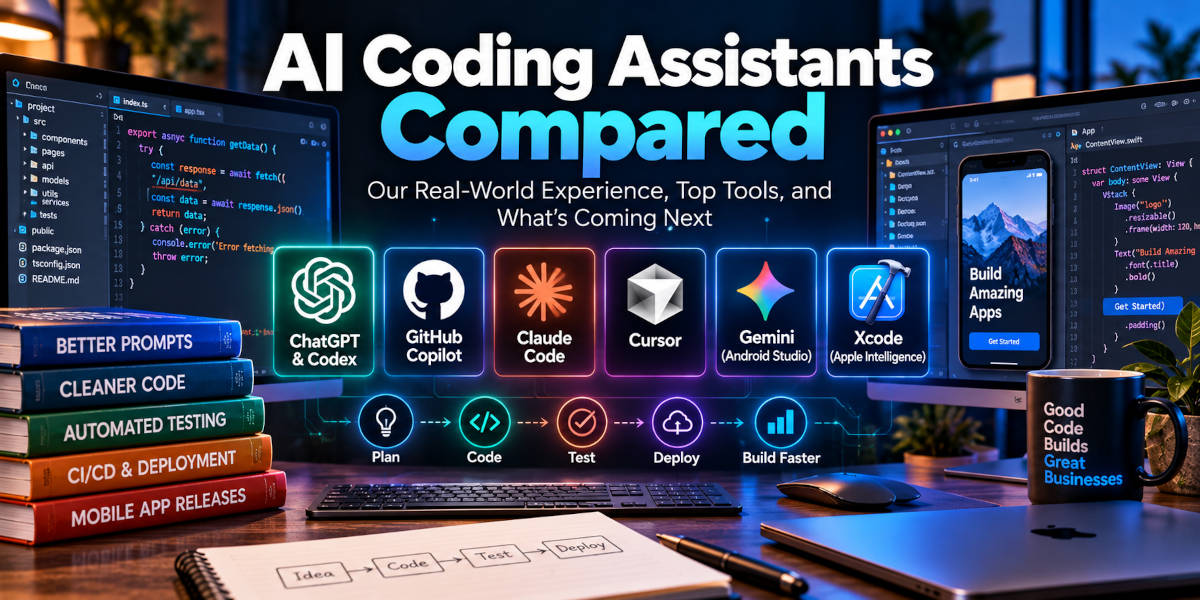
AI Coding Assistants Compared: How We Actually Use AI for Software Development
Artificial intelligence has changed the way we write software more dramatically in the last few years than almost any development tool we have seen in decades.
At Firecane Digital, our use of AI for programming did not start with autonomous coding agents, multi-file project awareness, or AI built directly into development environments. Like many developers, we started with ChatGPT in a browser.
At first, the workflow was straightforward. We would describe a function we needed, provide a little information about what went into it and what it should return, and ask ChatGPT to generate the code. The results were often surprisingly close. The function might not have been production-ready, but it could provide a strong starting point and save time compared with beginning from a blank file.
That was useful, but it was only the beginning.
Over the next several years, our prompts became much more detailed, the models became considerably more capable, and AI moved directly into tools such as Visual Studio, Xcode, Android Studio, GitHub, and modern AI-focused development environments.
Today, we are using AI less like a search engine that happens to write code and more like another development tool that can understand substantial portions of an application.
In this article, we will compare some of the most important AI coding assistants available today, explain how our own development workflow has changed, and look at where AI-assisted programming and DevOps appear to be heading next.
Our First Experience With AI-Assisted Coding
Our earliest AI development experiments were mostly done through normal ChatGPT prompts.
We would ask for a PHP function, a SQL query, a JavaScript routine, or a small piece of application logic.
The AI would often get surprisingly close.
Sometimes the generated function worked immediately. More often, it was close enough that an experienced developer could quickly identify the remaining problems and finish the work manually.
Even at that stage, there was obvious value.
A developer did not have to spend as much time remembering syntax, looking up a rarely used function, or writing repetitive boilerplate code. AI could produce the initial structure, and we could concentrate on making sure the implementation actually fit the application.
The biggest limitation was context.
ChatGPT knew only what we pasted into the conversation.
It did not know how the rest of our application worked. It did not automatically understand the database schema, naming conventions, existing classes, configuration files, or functions located elsewhere in the project.
That meant the developer still had to understand the application well enough to recognize where the AI was making incorrect assumptions.
Our Prompts Became Much More Detailed
The next stage was learning that better prompts produced dramatically better code.
Instead of asking AI to simply “create a customer function,” we started providing database fields, existing variable names, validation requirements, expected outputs, related functions, security requirements, and examples of how the rest of the application worked.
The results became much more useful.
We started asking AI to help create larger sections of applications rather than isolated functions.
That included application scaffolding, database designs, PHP classes, API integrations, JavaScript, form validation, data processing routines, and mobile app functionality.
At that point, AI could frequently get us much closer to a working application.
It could suggest database tables, generate the basic application structure, build many of the repetitive functions, and sometimes complete a substantial portion of a feature.
There was still plenty of manual programming involved.
Database relationships might need to be adjusted. A generated function might work by itself but not fit correctly into an existing application. Error handling might be incomplete. Security assumptions needed to be reviewed. Occasionally, AI would generate code that looked completely reasonable but simply did not work.
That remains one of the most important lessons we have learned from AI-assisted programming:
Code that looks correct is not necessarily correct.
Experienced developers still need to understand what the software is supposed to do and verify the implementation.

Moving AI Into Visual Studio and Xcode Changed Everything
The next major improvement came when AI moved from a separate browser window into the development environment itself.
We started integrating AI more directly with tools such as Visual Studio and Xcode.
This changes the workflow significantly because the AI can potentially see much more of the project.
Instead of copying one PHP file or Swift function into ChatGPT, the assistant can work with multiple files and understand how those files relate to each other.
It can see the class calling the function.
It can inspect the database layer.
It can read terminal errors.
It can examine related code.
It can sometimes make the changes itself rather than simply telling the developer what to type.
This is where AI coding assistants become considerably more powerful.
GitHub Copilot, for example, has evolved far beyond autocomplete and can now operate through IDEs, repositories, pull requests, code review, and coding-agent workflows. OpenAI
For us, that is much more useful than receiving an isolated code snippet.
Our Prompts Today Look More Like Software Specifications
The prompts we use now are substantially more involved than what we were writing a few years ago.
Today, we might describe the programming language, database structure, development framework, directory structure, expected data, error handling, security requirements, API behavior, and testing requirements in one prompt.
We may also explain exactly what the AI should not change.
That becomes important when working with an established application.
For example, instead of simply saying:
“Add a customer export function.”
A modern prompt might explain that the function needs to use the existing database connection class, preserve the existing authentication system, export specific fields, escape CSV data correctly, work under PHP 8.3, preserve the existing API response format, and avoid making any database changes.
That is much closer to writing a development specification than asking a chatbot a question.
Interestingly, this makes traditional software development experience even more valuable.
The better you understand architecture, databases, APIs, security, and software design, the better instructions you can give the AI.
AI Coding Assistants Are Becoming Coding Agents
One of the biggest changes happening now is the move from AI assistants to AI agents.
An assistant generally responds to what you ask.
An agent can potentially take a broader goal and work through the steps required to accomplish it.
For example, instead of asking AI to generate a single function, you might ask an agent to:
“Add an account password-reset feature to this application.”
The agent can inspect the codebase, identify the authentication system, determine which files need to change, create the required code, run tests, detect errors, modify its implementation, and present the changes for review.
Cursor’s current Agent system, for example, can search a codebase, edit files, run terminal commands, and independently work through complicated development tasks. Cursor
OpenAI’s Codex environment has similarly moved toward longer-running and parallel agent workflows that can operate through IDEs, command-line tools, applications, and cloud development environments. OpenAI
This is considerably different from where AI coding was only a few years ago.
ChatGPT and OpenAI Codex
ChatGPT was where much of our AI development experimentation began, and we still find conversational AI extremely useful for software work.
ChatGPT is particularly useful for discussing architecture, troubleshooting unusual problems, explaining unfamiliar code, designing databases, planning APIs, and working through a development problem before writing the final implementation.
OpenAI’s Codex takes that concept further by giving AI access to a more complete development workflow.
The Codex app is designed around managing coding agents, including the ability to run multiple agents in parallel and work on longer-running development tasks. OpenAI
OpenAI has also introduced infrastructure for developers to build cloud agents capable of working with files, running code, coordinating subagents, and continuing longer tasks. OpenAI
That progression—from asking ChatGPT for a function to assigning an agent a development task—closely matches how our own use of AI has evolved.
GitHub Copilot
GitHub Copilot is another tool we use and one that another developer on our team has incorporated heavily into his workflow.
Copilot originally became popular because of its ability to predict and autocomplete code.
Today, it is much more than autocomplete.
Copilot can help developers understand existing repositories, generate and modify code, review changes, troubleshoot problems, work with pull requests, and participate in more agent-oriented development workflows.
The GitHub integration is particularly important because professional software development involves much more than simply writing source code.
Code has to be versioned, reviewed, tested, merged, and deployed.
Having AI connected directly to that workflow makes it much more useful for real development teams.
Claude Code
Claude Code from Anthropic is another AI development tool receiving a lot of attention.
Instead of being centered entirely around a visual editor, Claude Code can work directly from a command-line environment.
That is appealing to experienced developers because the terminal is already a major part of many programming workflows.
A coding assistant operating there can inspect files, execute commands, work with Git, investigate errors, and modify an application without forcing developers to move into an entirely different environment.
Claude has also become one of the model choices available directly through Apple’s newer Xcode intelligence system. Apple currently supports both ChatGPT and Claude within Xcode, along with additional agent providers through supported protocols. Apple Developer
Cursor
Cursor is one of the more interesting tools because the development environment itself has been designed around AI.
Rather than simply adding a chat window to a conventional editor, Cursor has placed agent-based development much closer to the center of the workflow.
Its Agent system can search an application, determine which files are relevant, edit multiple files, run shell commands, fix errors, and continue working toward a larger objective. Cursor
This is a good example of where we think software development is heading.
The question will increasingly become less:
“Can this AI write code?”
And more:
“How much of the development process can this AI understand and participate in?”
AI Inside Xcode
Apple has moved aggressively into this area as well.
Xcode now includes coding intelligence directly inside the development environment.
Developers can use natural-language prompts to explore code, add features, refactor implementations, generate tests and documentation, and work with application context. Apple Developer
Apple currently supports ChatGPT and Claude directly inside Xcode, along with other agents that support compatible protocols. Apple Developer
Xcode 26.6 also added Gemini support and support for the Agent Client Protocol. Apple Developer
For mobile developers, this is particularly important.
Instead of explaining an Xcode build error to an AI in a separate browser, the development environment itself can provide much more of the context.
That makes AI considerably more useful for actual iOS development.
If your business is considering a new mobile application, Firecane Digital also provides mobile app development services for custom iOS and Android projects.
Gemini in Android Studio
Google has taken a similar approach with Android Studio.
Gemini is built directly into the Android development workflow, and newer versions include an Agent Mode intended for more complicated, multi-step development tasks. Android Developers
That means the assistant can work with the actual Android project instead of receiving disconnected code snippets.
It can understand more about Gradle, Android APIs, Compose, application configuration, and other Android-specific development tools.
The broader trend is clear.
The major development platforms no longer treat AI as a separate product.
AI is becoming part of the IDE itself.
AI Coding Assistants Compared
There is no single “best” AI coding assistant for every developer.
ChatGPT and Codex are extremely useful when we need broad technical reasoning, architecture discussions, code generation, or agent-based development.
GitHub Copilot makes particular sense for teams already deeply integrated with GitHub and Visual Studio.
Claude Code is appealing for command-line developers and complex codebase work.
Cursor is interesting for developers who want an editor built around agents from the beginning.
Gemini has a natural advantage inside Android Studio because of its Android-specific context.
Apple’s Xcode intelligence is increasingly important for iOS development because it integrates AI directly into Apple’s native development environment.
In practice, many professional developers are probably going to use more than one.
We already do.
Different tools can be better suited to different stages of the project.
The AI Model May Matter Less Than the Development Environment
One trend we find particularly interesting is that developers may become less concerned with picking one permanent AI model.
The development environment may become more important.
Xcode already supports multiple AI providers.
Cursor lets developers select different models.
Other AI coding systems are moving toward similar architectures.
The future may not involve choosing “ChatGPT versus Claude versus Gemini” and using that model forever.
Instead, a developer might use one model for architecture, another for writing code, another for code review, and a specialized platform-specific assistant for debugging the finished application.
The development environment becomes the control center.
AI Is Moving Into DevOps and Deployment
Writing the application is only part of software development.
Eventually, the code has to be built, tested, signed, packaged, deployed, monitored, and updated.
This is another area where our use of AI is expanding.
One of the developers on our team uses Copilot along with other development and automation tools to help manage deployment into the Apple App Store and Google Play.
That workflow can involve a surprising amount of technical work.
For mobile applications, deployment may include code signing, provisioning profiles, certificates, version numbers, build configurations, TestFlight, Google Play testing tracks, screenshots, metadata, and release management.
AI can help troubleshoot those systems just as it can troubleshoot application code.
AI and Mobile App Deployment
Traditional mobile DevOps tools are becoming even more useful when combined with AI.
Platforms such as fastlane can automate parts of iOS and Android application deployment.
A development team can automate builds, signing, screenshots, metadata, and application uploads rather than manually performing every release step.
AI can then help create and troubleshoot those automation scripts.
The combination is powerful.
Instead of spending hours researching an obscure signing error, the developer can provide the build output to an AI assistant that already understands the project.
The same approach can be applied to CI/CD tools such as GitHub Actions, Xcode Cloud, Bitrise, Codemagic, Docker environments, and custom deployment pipelines.
This is where AI coding assistants begin becoming AI DevOps assistants.
AI Can Help Diagnose Failed Builds
One of the most practical AI use cases we see involves build failures.
Build logs can be enormous.
A developer may have to search through hundreds of lines to find the one configuration problem that actually caused the failure.
AI is particularly good at reading those logs and helping identify likely causes.
For example, the AI may recognize that:
- A signing certificate expired.
- A package version conflicts with another dependency.
- A Gradle configuration is outdated.
- A PHP extension is missing.
- An API changed.
- A deployment secret is unavailable.
- A build environment is using the wrong SDK.
The developer still needs to verify the recommendation, but AI can dramatically reduce troubleshooting time.
AI Agents Working in Parallel
One of the newest and most interesting developments is the ability to run multiple coding agents at the same time.
OpenAI’s Codex app, for example, was explicitly designed around coordinating multiple agents and parallel development tasks. OpenAI
This creates an entirely different development workflow.
A developer might have one agent working on an API integration while another creates automated tests and another investigates a front-end bug.
Instead of the human developer personally completing each task one after another, the developer increasingly becomes responsible for coordinating and reviewing several streams of work.
That may ultimately be one of the biggest productivity changes produced by AI.
Agents That Keep Working Without Constant Supervision
Another important change is that agents are becoming capable of longer-running tasks.
The original ChatGPT development workflow required constant interaction.
Ask a question.
Wait for the response.
Copy the code.
Test it.
Come back and explain the error.
The newer model is different.
An agent can potentially continue working through a task, running code, examining errors, and refining its solution before asking the developer for input.
OpenAI’s current agent infrastructure, for example, is designed specifically for longer-running cloud work involving files, tools, code execution, and subagents. OpenAI
We expect this type of workflow to become much more common.
Local AI Models Are Becoming More Interesting
Another area we have been experimenting with and watching closely is running AI models locally.
Instead of sending source code to a cloud provider, a company can run certain models on its own Mac, workstation, or server.
That can be attractive when working with proprietary source code or internal business data.
It can also be useful for experimenting with AI without paying for every API call.
The tradeoff is hardware.
Large models can require substantial amounts of memory and processing power.
But as hardware improves and models become more efficient, locally hosted AI is becoming increasingly practical.
We expect local models to become another tool developers can combine with cloud-based AI systems.
AI Coding Still Requires Experienced Developers
As impressive as the technology has become, AI still makes mistakes.
We see it happen regularly.
An AI can misunderstand an application.
It can create an unnecessary dependency.
It can produce insecure code.
It can use an outdated API.
It can create a database structure that works today but creates major problems later.
It can fix one error while introducing another.
The dangerous mistakes are not always the obvious ones.
Sometimes the code looks excellent.
That is why development experience still matters.
AI can generate software very quickly.
Someone still has to determine whether the software is actually correct.
AI Makes Good Developers Faster
This is probably the biggest conclusion we have reached from using AI over the past few years.
AI does not magically replace the need to understand software.
Instead, it amplifies the developer’s existing knowledge.
A developer who understands databases can use AI to create database code faster.
A developer who understands APIs can use AI to build integrations faster.
A developer who understands security can recognize when the generated code is unsafe.
A developer who understands application architecture can provide much better instructions to an AI agent.
The human developer increasingly decides what should be built and how the system should work, while AI handles more of the repetitive implementation.
What About Developers Who Don’t Understand the Code?
AI also makes it possible for people with less programming experience to create software.
That can be useful.
It can also be risky.
If someone asks an AI to build an application but does not understand the resulting database, authentication system, APIs, or security model, they may have no way to recognize serious problems.
The AI can make software development faster.
It can also make mistakes happen faster.
For simple internal prototypes, that might be acceptable.
For production systems handling customer data, payments, or critical business operations, professional review remains important.
Where AI Coding Assistants Are Going Next
We expect the next major stage to involve more autonomy, better project awareness, and tighter integration with development infrastructure.
AI agents will likely become increasingly capable of understanding entire repositories rather than individual files.
They will probably work on longer tasks with less supervision.
They will increasingly build and test their own changes.
They will participate more directly in version control and deployment.
We also expect developers to routinely coordinate several agents at once.
This is already beginning to happen.
The biggest change may eventually be in the developer’s role.
Instead of spending most of the day typing individual functions, experienced developers may spend considerably more time designing systems, describing requirements, reviewing AI-generated changes, testing implementations, and coordinating agents.
Which AI Coding Assistant Should You Use?
For developers getting started with AI, we would not spend too much time trying to identify a single permanent winner.
Try several.
ChatGPT is a great place to start because it is useful for both programming and broader technical problem solving.
GitHub Copilot makes sense if your development workflow already revolves around Visual Studio, VS Code, and GitHub.
Cursor is worth exploring if you want a development environment designed specifically around AI agents.
Claude Code is particularly interesting for developers comfortable working from the terminal.
Gemini makes sense for Android developers.
And if you develop Apple applications, the rapidly expanding AI capabilities inside Xcode are becoming difficult to ignore.
The important thing is learning how to use these tools effectively.
The models will continue changing.
The skill of clearly describing a technical problem will remain valuable.
Our Experience After Several Years of AI Development
Looking back, the progression has been remarkable.
We started by asking ChatGPT for individual functions.
Then we started providing larger prompts and specifications.
Next, AI began helping us scaffold applications, design databases, and create larger portions of the codebase.
Then we integrated AI into Visual Studio and Xcode.
Now we are entering a stage where AI agents can understand more of the application, modify multiple files, run builds, troubleshoot errors, write tests, and help with deployment.
Our prompts have become longer and more detailed because the AI is capable of doing more with the information.
That trend is likely to continue.
The better these tools understand the complete project, the more useful they become.
AI-Assisted Software Development From Firecane Digital
Firecane Digital has been developing websites, databases, mobile applications, APIs, and custom business software for more than 20 years.
Over that time, we have worked through many generations of development technology.
AI-assisted programming is one of the largest shifts we have seen.
We actively use AI tools as part of our development process, but we combine those tools with experienced developers who understand software architecture, databases, APIs, mobile applications, cloud systems, security, and deployment.
That combination matters.
AI can help us build software faster, investigate problems more efficiently, and automate repetitive development tasks.
But an experienced developer still needs to understand what the software is supposed to accomplish and whether the implementation actually makes sense.
Firecane Digital can help businesses with custom software development, mobile app development, API integrations, AI integration, application modernization, database development, cloud systems, DevOps, application testing, and ongoing software maintenance.
If your company is considering building a new application, adding AI capabilities to existing software, or modernizing an older platform, contact Firecane Digital to discuss your project.
Learn more about our Mobile App Development services or visit Firecane Digital to learn more about our custom software development capabilities.
Contact Firecane Digital today to discuss how AI-assisted development can help move your next software project forward.