
AI services · Firecane
Cloud AI setup for your business
Build an AI environment that your team and applications can use in the cloud. Firecane helps configure the services, access, integrations, and operational controls around your use case.
We start with the workflow and your existing infrastructure, then compare managed AI services, model APIs, and hosted workloads. The setup is scoped around the access, performance, and budget your business needs.
Let’s talk about your AI project
Tell us what your team wants to improve, the tools you use, and where you need help.
What’s included
A setup shaped around your requirements

Architecture and service selection
Compare the hosting and service options against your workload, current cloud environment, and operational requirements.
- Managed services, APIs, or hosted model workloads
- Data flow, region, and integration planning

Accounts and environment setup
Configure the agreed services and environments, with clear ownership and access for the people who will manage them.
- Identity, permissions, and secret management
- Development and production boundaries where required

Application integration
Connect the cloud AI service to the agreed interface, application, or workflow, and test the behavior on representative inputs.
- API connections and application configuration
- Usage limits, error handling, and release checks

Monitoring and handover
Make service health and usage visible, and document how to operate, maintain, and recover the agreed setup.
- Logs, usage reporting, budgets, and alerts
- Deployment notes and operational responsibilities
An example workflow
Connect cloud AI to a business application
A customer service tool might use a cloud AI service to summarize an approved support history and draft a response. The application controls access and keeps a person involved before a reply is sent.
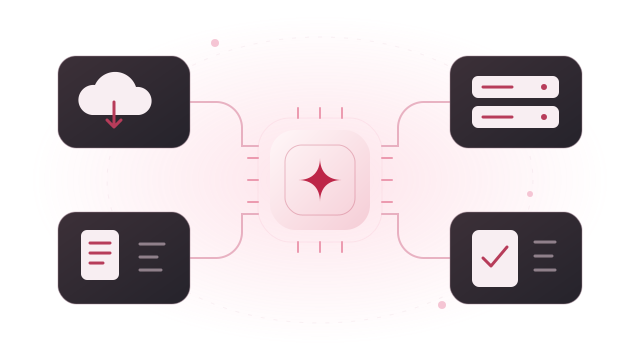
Your application
Send the approved information needed for the specific task.
A configured AI service
Process the request through the selected cloud service or model API.
A useful result
Return a summary or draft to the application for staff review.
Illustrative example. The workflow, connected systems, and review steps are agreed for each project.
Plan for everyday use
Make the ongoing costs and responsibilities clear
Cloud AI costs can involve model usage, compute, storage, and network traffic. We review the likely cost drivers and the controls available in the chosen platform.
- Agree which accounts and subscriptions your business will own.
- Review service terms, data handling, and regional options for the selected setup.
- Set practical usage controls and alerts; budget alerts alone may not stop spending.
- Document monitoring, credential rotation, deployment, and support responsibilities.
How we work
A clear path from idea to everyday use
Understand the work
Review your goal, current tools, data, users, and the task you want to improve.
Scope a useful first step
Agree the setup, deliverables, costs to consider, and how we will evaluate the result.
Build, test, and review
Work through the implementation with representative tasks and feedback from your team.
Hand over and support
Provide documentation and training, then agree any ongoing maintenance or next phase.
Questions, answered
Before we get started
Do we need a particular cloud provider?
No provider is assumed before the review. We consider your current environment, the AI workload, and the services available to your organization before proposing an approach.
Can you work within an existing cloud account?
Yes, subject to the necessary permissions and service availability. We review the current account structure and agree access and ownership before making changes.
How are cloud AI costs controlled?
The available controls depend on the services selected. We can configure relevant quotas, application-level limits, reporting, and alerts, and explain which controls actually restrict usage versus simply notify your team.
Could we combine cloud AI with a local server?
A mixed setup may be appropriate for different workloads. We map which data and tasks belong in each environment and test the connections before agreeing the design.
Let’s plan the next step
Schedule a meeting with our team
Tell us what you have in mind, how you would like to meet, and which days work best. We’ll follow up to arrange a conversation.