
AI services · Firecane
AI process automation
Put AI to work in the processes your team repeats every day. Firecane connects AI with your applications, documents, and business rules to help move routine work forward.
Start with one workflow: handling an inquiry, extracting details from a document, drafting a response, or organizing information. We build in review points where your team needs to stay involved.
Let’s talk about your AI project
Tell us what your team wants to improve, the tools you use, and where you need help.
What’s included
Practical help from planning to handover

Workflow discovery
Map the current process, its inputs, and the decisions people make. Identify where AI adds value and where a straightforward rule is the better fit.
- Process mapping and system inventory
- A defined first workflow and success criteria

Application and data connections
Connect the workflow to the tools your business already uses, subject to the access and interfaces those tools provide.
- APIs, webhooks, and structured data exchange
- Document inputs, field mapping, and permissions

AI steps and review points
Add the appropriate AI tasks and decide which outputs require a person’s approval before the process continues.
- Extraction, classification, summaries, or drafts
- Validation rules and approval steps

Testing and exception handling
Test representative inputs, including incomplete or unexpected information, and make failures visible to the people responsible.
- Sample-based quality checks and useful logging
- Retries, escalation paths, and operating notes
An example workflow
From a new inquiry to a reviewable reply
An inquiry workflow can collect a request, suggest a category, prepare a summary, and draft a reply using your approved business information. Your team reviews the result before it is sent.
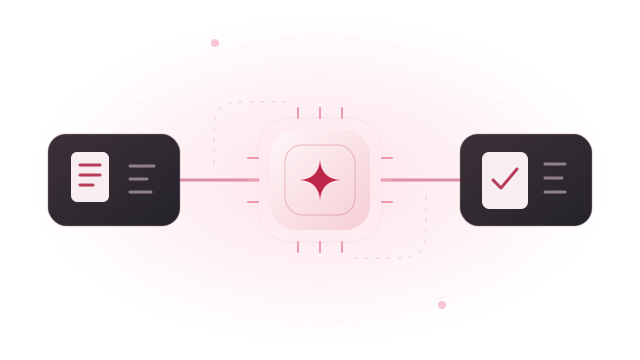
A request arrives
Read an inquiry from an agreed form, inbox, or business system.
AI prepares the work
Suggest a category, extract useful details, and prepare a draft.
Your team approves
Check the facts, revise the response, and approve the next action.
Illustrative example. The workflow, connected systems, and review steps are agreed for each project.
Plan for everyday use
Build around the exceptions, too
A useful automation needs a clear response when information is missing, a tool is unavailable, or an AI output needs correction.
- Define the conditions that send a task back to a person.
- Limit application permissions to the actions the workflow requires.
- Keep logs that help your team understand what happened without collecting unnecessary data.
- Track quality, time spent, and operating costs against the agreed starting point.
How we work
A clear path from idea to everyday use
Understand the work
Review your goal, current tools, data, users, and the task you want to improve.
Scope a useful first step
Agree the setup, deliverables, costs to consider, and how we will evaluate the result.
Build, test, and review
Work through the implementation with representative tasks and feedback from your team.
Hand over and support
Provide documentation and training, then agree any ongoing maintenance or next phase.
Questions, answered
Before we get started
Which processes should we automate first?
A good starting point is a repeated task with clear inputs, a measurable outcome, and a manageable impact if the output needs correction. We review the process with your team before choosing a first workflow.
Can you connect AI to our existing software?
Often, through APIs, webhooks, or other supported interfaces. We review the applications, available permissions, and integration limits before confirming the approach.
Does an AI workflow have to run without human review?
No. Approval steps can be included before messages are sent, records are changed, or other consequential actions occur. The level of automation is agreed for each workflow.
How do we know if an automation is useful?
We agree a starting point and success criteria, then test the workflow on representative tasks. Measures can include review time, completion time, correction rates, and operating costs. Results depend on the process and the quality of its inputs.
Let’s plan the next step
Schedule a meeting with our team
Tell us what you have in mind, how you would like to meet, and which days work best. We’ll follow up to arrange a conversation.